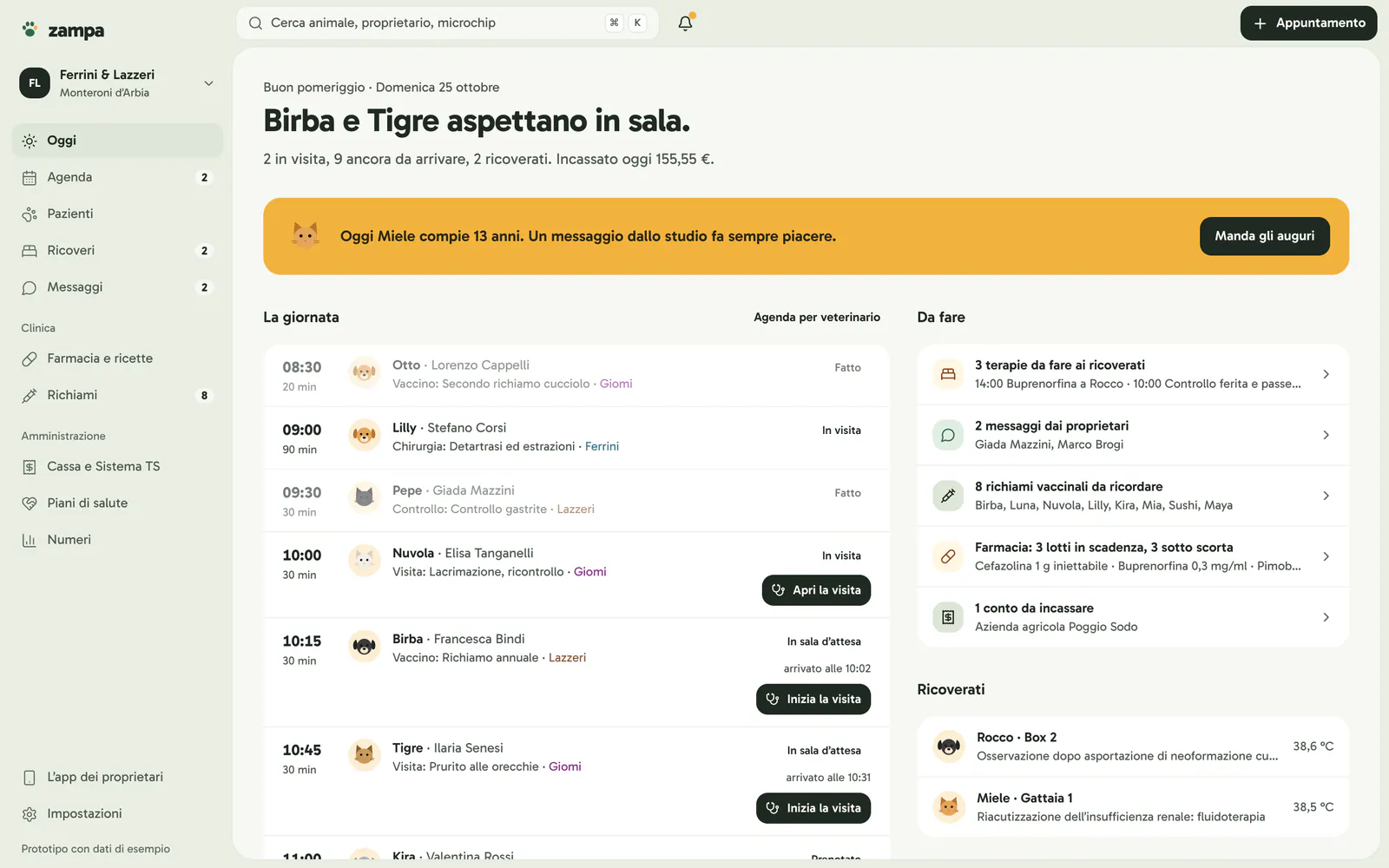
Day overview
See at once who’s waiting and what’s left to do.
Waiting room, consultations in progress, arrivals and inpatients in four numbers. Below, the to-do list: treatments, owner requests, boosters and stock.
 Zampa
Zampa
Everything connected, everything simpler.Zampa is veterinary practice software that brings together your diary, clinical records, reminders and invoices. It keeps working when the internet drops, and pet owners get an app with your practice’s name on it.
For veterinary practices, surgeries and clinics. One subscription per practice, not per vet, with free setup and data migration.
The app for your practice
From the first booking to the last consultation: explore the tools for your practice.
See at once who’s waiting and what’s left to do.
Waiting room, consultations in progress, arrivals and inpatients in four numbers. Below, the to-do list: treatments, owner requests, boosters and stock.
Every vet has their own column.
Day or week view, a filter per vet, and appointments you move by dragging them. Bookings made in the app appear on their own.
One tap when the patient arrives.
“Arrived” records the time and moves the patient to the waiting room, where the consultation starts. The diary updates on every workstation.
Find anyone in a moment.
Animals and owners linked together, searchable by name, phone or microchip, with filters by species.
The microchip is always in view.
The number and registry entry sit at the top of the animal’s record, next to its weight and alerts for staff.
Farms too.
Herds with head count and holding number, farm visits in the diary and withdrawal periods on prescriptions for food-producing animals.
The animal’s history on one page.
Current treatments, weight over time, consultations, vaccines, prescriptions, images and documents. Allergies and conditions always stay at the top.
Write the way you talk, the rest fills itself in.
History, clinical exam, vital signs and diagnosis, with your most-used phrases one tap away. Services and drugs go onto the bill while you examine.
Boosters go out without phone calls.
A recorded vaccine sets the next booster, and the reminder reaches the owner’s app. Owners who have already booked don’t get duplicates.
The prescription starts from the consultation.
Animal, owner and drug are already filled in and the validity stays in view. Prescriptions are issued through Italy’s national system with the vet’s own credentials.
The treatment sheet, always up to date.
Each dose is ticked off with who gave it and when, and deducted from stock. Internal notes and updates for the owner stay separate.
Images come back to the right consultation.
From the consultation the patient goes onto the machine’s DICOM worklist, and the images land in the record. The connection is set up machine by machine.
Already filled in, ready to sign.
Vaccination and health certificates and anaesthesia consent, with the animal’s and owner’s details. External reports are uploaded to the record.
Every drug, with the quantities you can actually use.
Search by name or active ingredient and filter by low stock, expiring and expired. Open packs read in ml or tablets.
The batch that expires first is used first.
Doses given in consultations or to inpatients are taken from the valid batch closest to expiry. Expired batches can’t be used and are disposed of with one tap.
Receipts and issues already in order.
Issues from consultations and hospitalisation reach the register with patient and dose; anything else is recorded by hand. Zampa prepares the transcription for the official register.
From estimate to appointment in one tap.
The owner finds it in the app. Once accepted, the appointment is created already filled in and the consultation starts with its items.
The invoice is created at payment.
The bill comes from the consultation or hospital stay: when the client pays, choose card, cash or bank transfer. Corrections go through a credit note.
Nothing to chase at year end.
For practices in Italy, every invoice prepares its Sistema TS record, with traceable payment or not and any opt-out by the owner. Submission uses the credentials of the practice or an intermediary.
See how things are going, without spreadsheets.
Revenue, consultations and online bookings for the chosen period, compared with the previous one. Every percentage shows how many appointments it’s based on.
Several workstations
What’s entered at reception shows up straight away in the diary in the consulting room. Each workstation keeps a copy of the data on the practice network: if the internet drops, work carries on, and submissions and reminders resume when the connection is back.
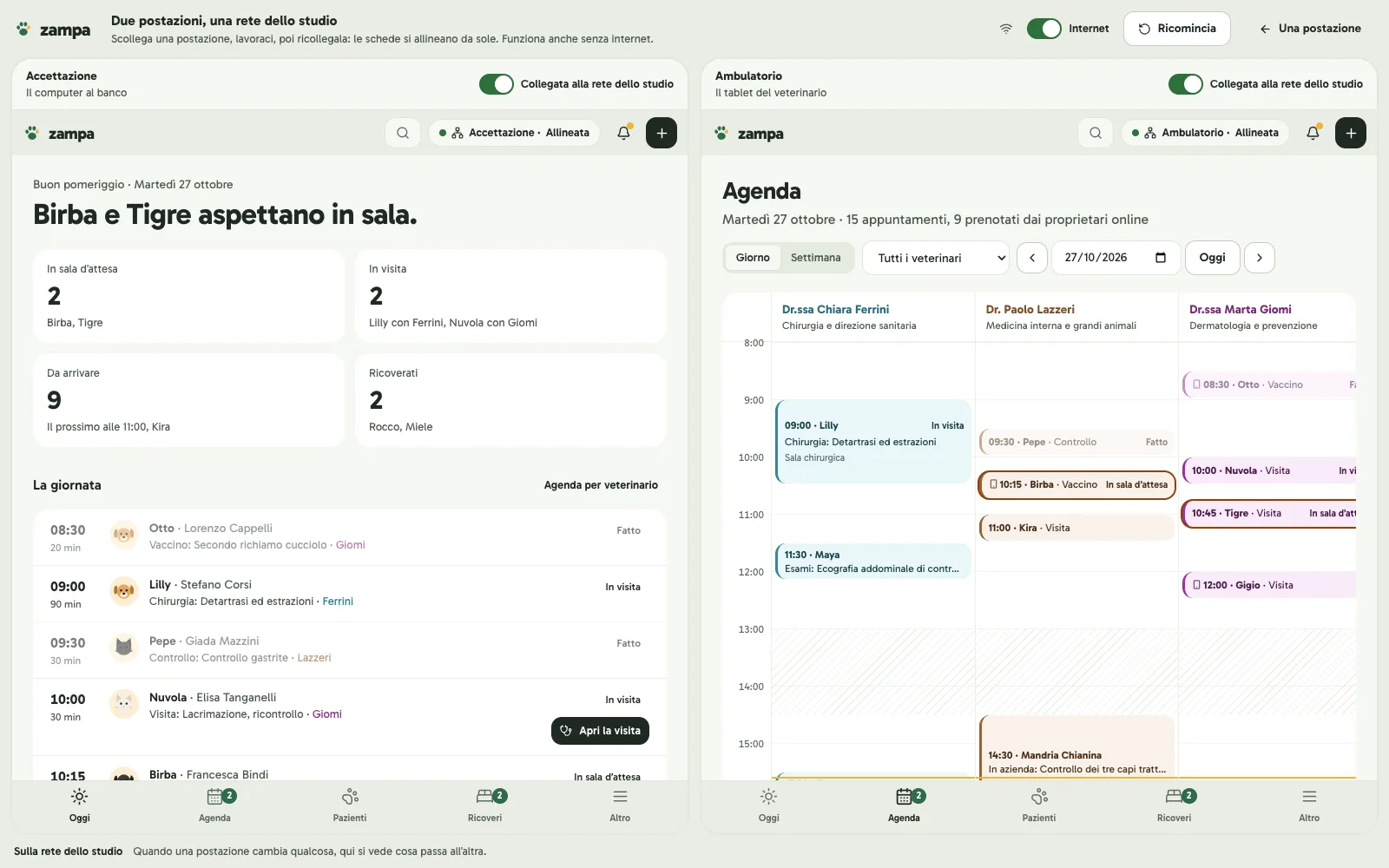
In the demo you can disconnect a workstation, work on it and reconnect it: the records sync on their own.
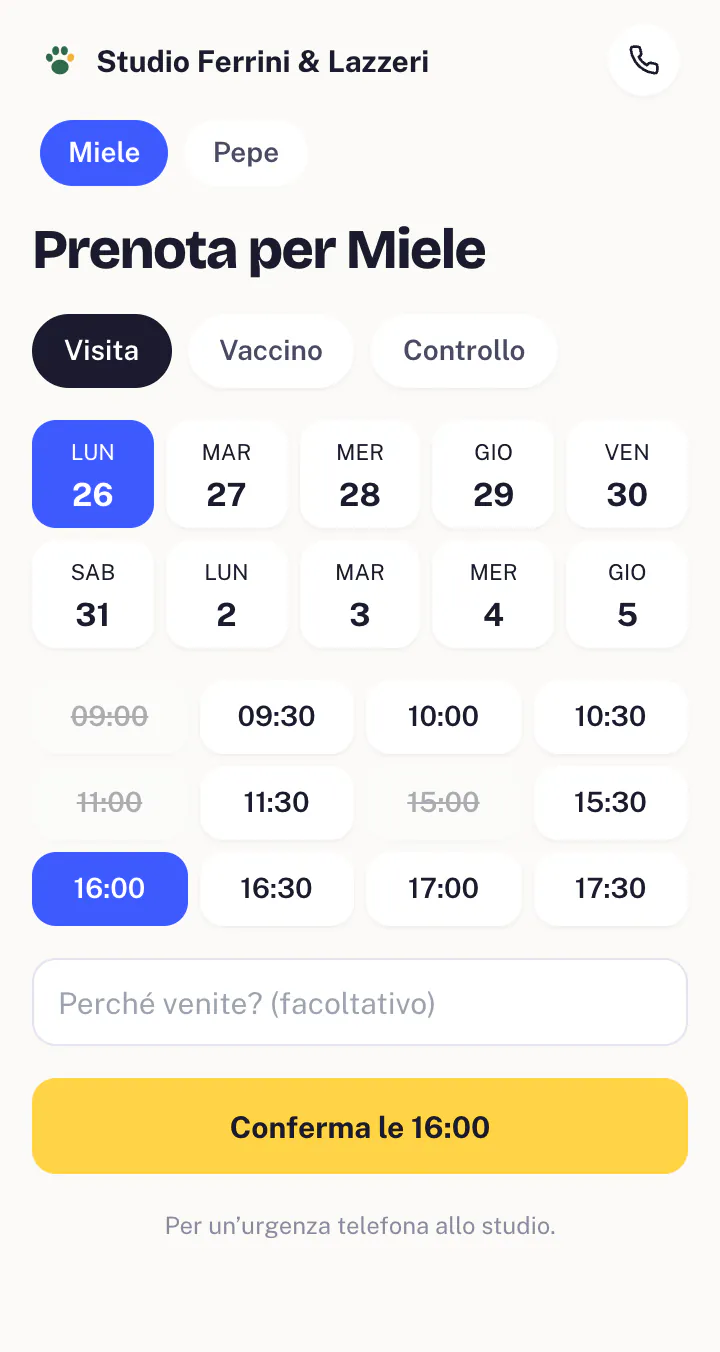
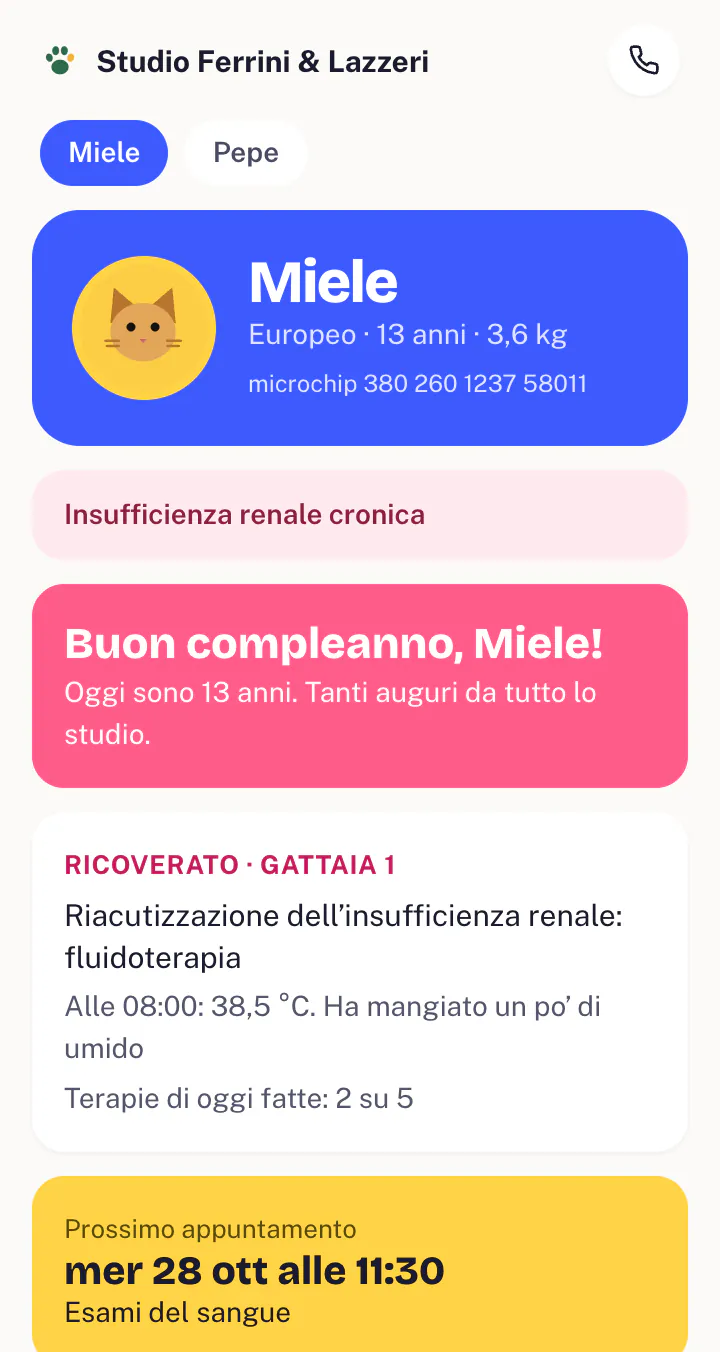
The pet owner app
An app with your practice’s name and logo, not a software brand. It opens from a link and is added to the home screen: no app store, no password to remember.
Switching to Zampa
Setup and migration from your old software are free, and the subscription is per practice, not per vet.
With your Jupiter contact we go through reception, consultations and payments, online or at the practice, and set up opening hours, price list and vets.
We bring over owners, animals, consultation history, vaccinations and invoices. First a trial run on an export, then we check together that everything is there.
We pick the switchover day so the practice never stops, and train the reception and clinical team remotely.
Your contact stays your point of reference for questions, changes and updates. Support, updates and backups are included in the subscription.
Frequently asked questions
Zampa is designed for practices, surgeries and clinics, including those with several vets: a diary per vet and per room, multiple workstations, your own price list and opening hours. Farms and large animals have their own records. In the demo we try it on your cases.
Yes, migration is free: owners, animals, consultation history, vaccinations and invoices. How much can be recovered depends on what your old software exports, so we start with a trial run on your data.
A Jupiter contact handles the launch: configuration, migration, remote training and switchover day. Afterwards they remain your contact for questions and changes.
Each workstation keeps a copy of the data and syncs with the others on the practice network: reception, diary, consultations, payments and hospitalisation carry on. Online submissions, reminders and the owner app resume when the connection is back.
No. It’s a web app with your practice’s name: it opens from the link they receive and is added to the home screen. Inside they find the health booklet, bookings, boosters, documents and messages.
In Italy, Zampa prepares Sistema TS records and issues veterinary e-prescriptions with the vet’s credentials. X-ray and ultrasound machines connect if they support DICOM for the worklist and image transfer: we check this machine by machine. For other programs we assess case by case.
A closed consultation becomes a bill and the invoice is created at payment, with the right payment method. The prescription is filled in from the consultation, with its validity in view.
The subscription is per practice, not per vet, and includes your dedicated contact, support, updates and data backup. Setup and migration are free; we choose the plan together during the demo.
Thirty minutes, online if you like. We show you a real day, from the waiting room to the final invoice, and answer your questions.
Birba and Tigre are keeping an eye on you.
Prefer to write? info@wearejupiter.it